
Download DShutdown – shutdown timer, schedule computer shutdown, computer shutdown tool, automated shutdown, system performance shutdown
Overview
DShutdown is a lightweight desktop application designed to help users schedule their computer’s shutdown with advanced customization options. Unlike basic shutdown tools that rely solely on time-based triggers, DShutdown introduces performance-based conditions, allowing users to initiate shutdowns based on internet speed, CPU or memory usage, and the number of active programs. This level of control makes it particularly useful for users who want to automate their system behavior in response to real-time conditions rather than fixed timers.
The app is tailored for individuals seeking greater efficiency in managing their computing environment, such as remote workers, students, or anyone using their computer for extended tasks like downloads, updates, or media rendering. By enabling shutdowns when system load drops or internet speed falls below a threshold, DShutdown helps conserve energy and prevent unnecessary runtime. It also supports use cases like automatic shutdown after a specific program closes, ideal for users running background processes.
Developed by DShutdown, the application is positioned as a utility focused on system automation and resource management. Although the developer did not provide additional technical details about their background or company structure, the app’s design reflects a clear focus on simplicity and functionality. Its presence in the productivity category underscores its role in enhancing workflow efficiency through automation.
Key Features & Functionality
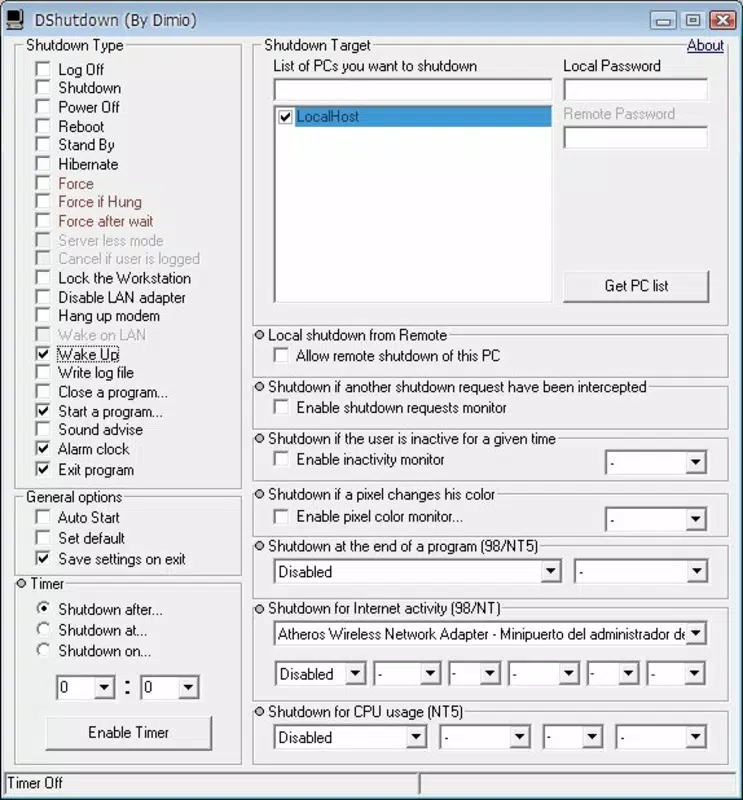
- Performance-Based Shutdown Triggers: Users can configure shutdowns based on system metrics such as internet speed, CPU usage, RAM consumption, and active application count. This allows for intelligent automation, such as shutting down when a download completes or when system activity drops.
- Customizable Scheduling Logic: The app supports multiple trigger conditions and logical combinations, enabling users to set complex rules like “shut down if internet speed is below 10 Mbps and no programs are running for over 15 minutes.”
- Lightweight Operation: At just 1.2 MB, DShutdown consumes minimal system resources, ensuring it runs efficiently in the background without affecting overall performance.
- Intuitive User Interface: The interface is designed for ease of access, with clearly labeled options and straightforward navigation, making it suitable for both novice and experienced users.
- Reliable Execution: The application is built to execute scheduled shutdowns consistently, minimizing the risk of missed or delayed shutdowns.
For example, a user running a large file transfer can set DShutdown to monitor internet speed and shut down the system once the transfer finishes and bandwidth drops to zero. Similarly, someone using their computer for gaming can configure it to shut down after all game processes close, ensuring the system isn’t left idle.
Interface, UX & Performance
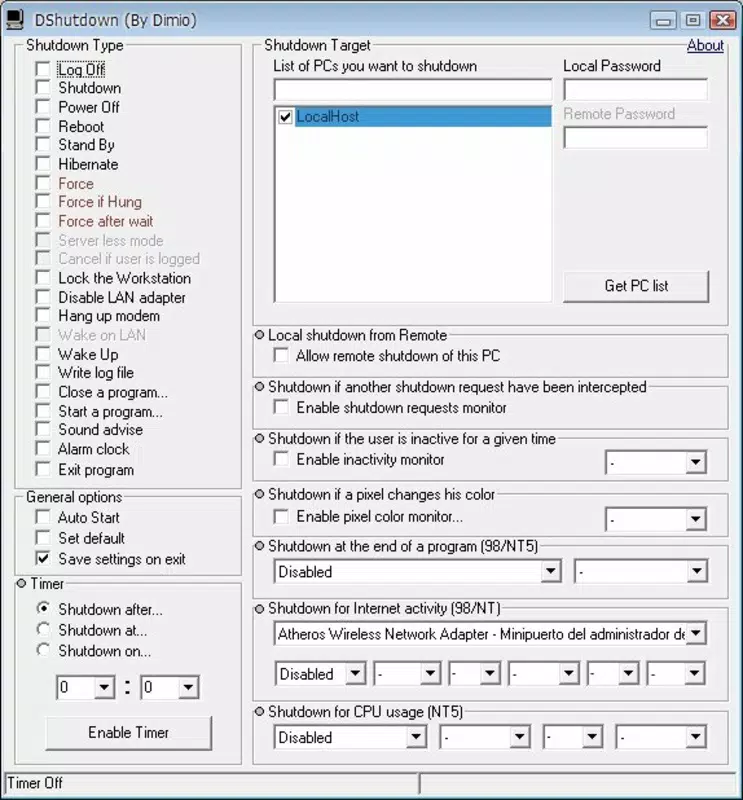
DShutdown features a clean, minimalistic interface that prioritizes functionality over visual complexity. The layout is organized into logical sections—trigger conditions, timing options, and system monitoring—making it easy to navigate without confusion. Users can quickly access settings, adjust parameters, and view real-time status without needing to consult external documentation.
Navigation is linear and consistent, with clear labels and immediate feedback upon configuration changes. The app responds promptly to user input, indicating that it is actively monitoring system conditions. Although the developer did not list formal performance metrics, the lightweight nature of the application suggests it maintains low CPU and memory usage during operation.
Users can expect stable performance across various Windows device categories, including desktops, laptops, and older systems. The application runs in the background without causing lag or interference with other tasks. Responsiveness is maintained even when multiple conditions are monitored simultaneously. Stability is further supported by the app’s ability to handle unexpected system events without crashing or requiring restarts.
Platform Compatibility & Technical Requirements
DShutdown is designed exclusively for the Windows platform, supporting a range of Windows operating systems. The current version is 1.2.0, with a file size of 1.2 MB, making it a compact and efficient tool. The developer did not specify minimum OS requirements, so compatibility with specific Windows versions (e.g., Windows 7, 10, 11) cannot be confirmed.
Given its small footprint and lack of dependency on external libraries, DShutdown is likely compatible with most modern Windows systems. However, users should verify system compatibility based on their environment. The app is free to download and install, with no in-app purchases or advertisements reported.
Pros and Cons
Pros
- Advanced shutdown triggers based on system performance and network conditions
- Extremely lightweight at just 1.2 MB
- Simple, intuitive interface suitable for all user levels
- Reliable execution of scheduled shutdowns
- Free to use with no ads or hidden costs
Cons
- Platform limited to Windows only
- Specific OS requirements were not listed
- No mobile or cross-platform support available
- Developer details not publicly disclosed
- Limited documentation or support resources available
FAQ
Is DShutdown safe to install on my computer?
Yes, DShutdown is a free, lightweight application with no reported malware or intrusive behavior. It operates with standard system permissions and does not collect personal data.
Can I use DShutdown on older Windows systems?
While the developer did not specify minimum OS requirements, the app’s small size and lack of dependencies suggest it may run on older Windows versions. Users are advised to test compatibility on their specific system.
Does DShutdown require an internet connection to work?
No, DShutdown functions independently of internet connectivity. It monitors local system performance and can trigger shutdowns based on offline conditions.
How do I update DShutdown to the latest version?
Updates are typically released by the developer through the official download page. Users should periodically check the source for new releases to ensure they have the latest version.
Can I schedule multiple shutdown tasks at once?
Yes, the application supports multiple scheduling rules, allowing users to set different conditions and triggers for various scenarios simultaneously.
Final Thoughts
DShutdown stands out in the productivity tool category by offering intelligent, performance-driven shutdown automation. Its ability to respond to real-time system conditions—such as idle time, low bandwidth, or closed applications—makes it a practical solution for users who want more control than standard timers provide. The lightweight design, user-friendly interface, and reliable execution further enhance its value.
While it is limited to Windows and lacks detailed documentation, its core functionality is robust and well-executed. Ideal for students, remote workers, and anyone managing long-running tasks, DShutdown delivers a smart, efficient way to automate computer shutdowns without hassle.
Download DShutdown now


